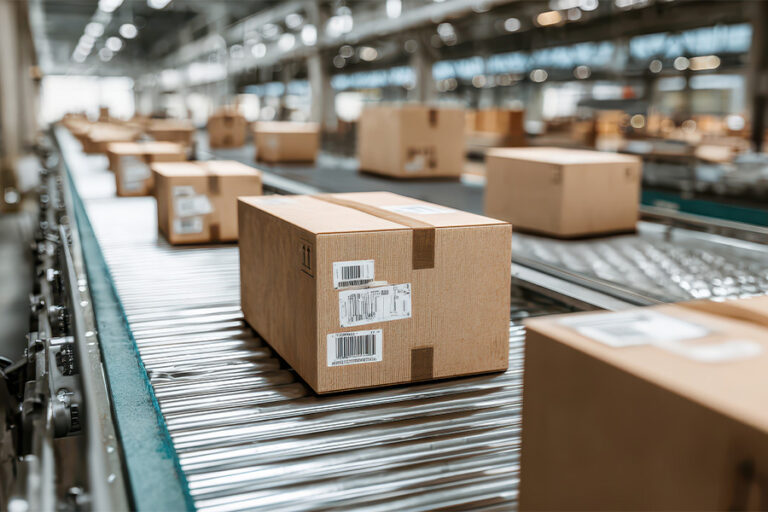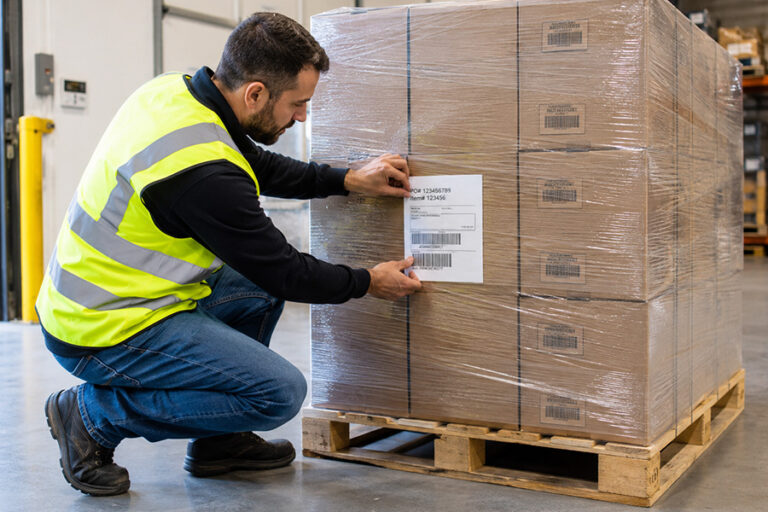


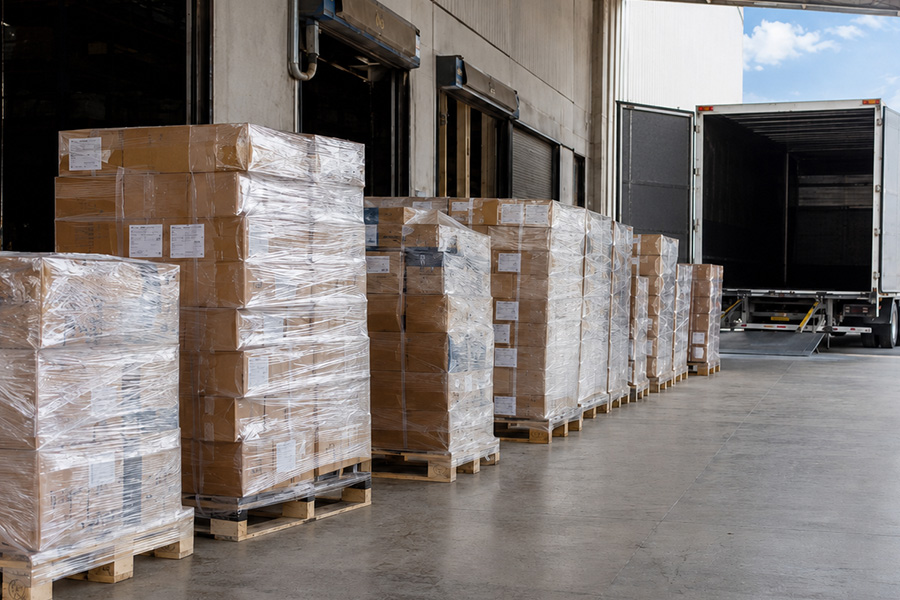
An automated print and apply labelling system is a machine that prints a label on demand and then applies it to a product, case, or pallet automatically, with no one placing the label by hand. It pulls the right data for each item from your business systems, prints the label at the moment it is needed, and positions it accurately on the line, at line speed. For a UK manufacturer trying to label thousands of items a day without errors, it replaces one of the most repetitive and mistake-prone jobs on the floor.
This guide explains what these systems are, how they work, the different ways they apply a label, where they fit on a line, what they cost to justify, and the UK standards and regulations that shape what your labels must show. We have written it for the person weighing up whether automation is the right move, so it stays practical and honest, including about the times when a simpler approach is the better call. You can see the range of systems we supply and integrate on our automated labelling page.
Key takeaways
- An automated print and apply system prints each label on demand and applies it to the product, case, or pallet automatically, with no manual placement.
- It pulls label data live from your ERP, WMS, or MES, so the label, the product, and your records always match.
- The application method (tamp, air-blow, wipe-on, or corner-wrap) is the key mechanical choice and depends on your product, label, and line speed.
- UK pallet labels usually need a GS1 logistics label carrying an SSCC in a GS1-128 barcode, often at Grade B print quality or better.
- Automation pays when the combined cost of labour, rework, and labelling errors on your current line outweighs the cost of removing them; below modest volumes, manual or pre-printed labelling can be the better call.
Table of contents
- What is an automated print and apply labelling system?
- How does a print and apply system work?
- What are the main label application methods?
- Where do these systems fit on a production line?
- How is print and apply different from coding, marking, and pre-printed labels?
- What are the benefits for UK operations?
- What does an automated labelling system cost, and how do you justify it?
- Which UK standards and regulations apply to automated labelling?
- How do you know your labels are readable?
- Is print and apply right for your operation?
- Key terms at a glance
- Frequently asked questions
- Working with Kelgray
1. What is an automated print and apply labelling system?
An automated print and apply system is the combination of two jobs into one continuous, hands-off step: printing a label and applying it. A manual labelling station separates those jobs. Someone prints a batch of labels, or peels them from a roll, then sticks each one on by hand. A print and apply system does both in sequence, automatically, as products move past on a conveyor or indexing line.
There are three things that make it “automated” rather than just “a printer next to the line”. First, it prints on demand, one label at a time, with the exact data that item needs, rather than relying on a pre-printed batch. Second, it applies the label itself, using a mechanism matched to the product and the position the label must land in. Third, it is triggered and fed by data: a sensor tells it a product has arrived, and a connection to your business systems tells it what to print. The result is that the label, the product, and the record in your system all agree, every time, without a person in the loop.
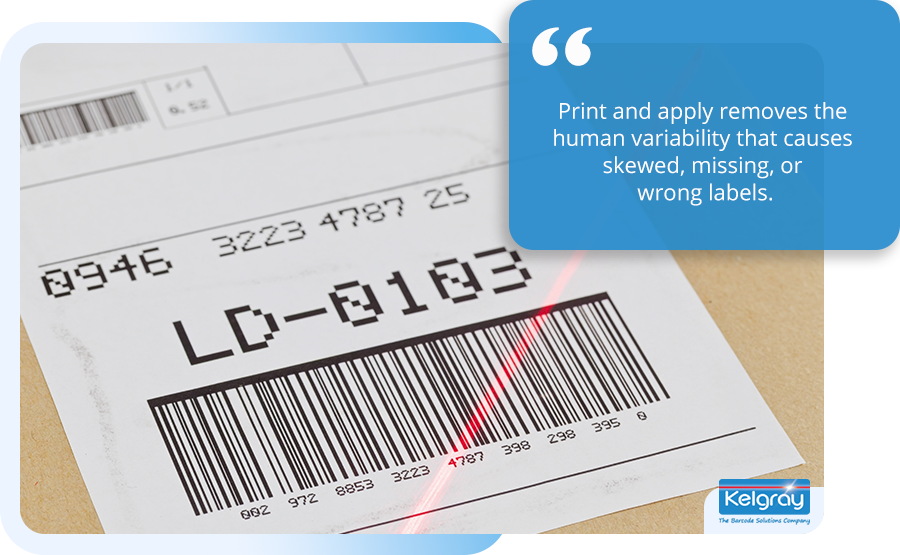
It helps to place this against the two alternatives a buyer usually considers. Compared with manual labelling, print and apply removes the human variability that causes skewed, missing, or wrong labels, and it keeps pace with the rest of the line. Compared with pre-printed labels ordered in bulk, it gives you on-demand flexibility, so a change of batch code, date, or destination does not mean reprinting and rebuying stock. The point here is simply that print and apply sits between them, giving automation and flexibility at once.
An example from our own work shows what that shift looks like in practice. A large salt producer, newly acquired by a global company, had until then identified its product with handwritten labels, with no traceability or stock control behind them. We supplied, installed, and integrated a full automated labelling solution built to GS1 standards (the barcode and labelling standards UK retail and logistics run on, which we cover later in this guide) across four production lines, with front-end operator software, overhead displays, and manual labelling options for the lines that were not automated. That gave the business full traceability, satisfied its customers’ requirements, and underpinned both the implementation of a large warehouse facility and its move into supplying the pharmaceutical industry.
2. How does a print and apply system work?
A print and apply system works as a short chain of parts, each doing one job, triggered the moment a product arrives. Understanding the chain makes the rest of the buying decision much clearer, because most of the choices you will face map onto one of these parts.
The print engine
At the heart of the system is a print engine, the component that turns data into a printed label. Most industrial print and apply engines use one of two printing methods. Direct thermal printing uses heat-sensitive label material and no ribbon, which keeps running costs low but produces labels that fade over time and with heat or light, so it suits short-life applications. Thermal transfer overprinting (TTO) uses a heated printhead and a ribbon to melt ink onto the label, producing a durable, long-lasting print that stands up to handling, cold, and time, which is why it is the common choice for logistics, pharmaceutical, and industrial labels. The choice between them is a trade-off between consumable cost and label durability, and it depends on how long the label needs to survive and in what conditions.
The applicator
Once the label is printed, the applicator places it on the product. This is the part that varies most between systems, because a label going onto the top of a passing carton needs a very different mechanism from one wrapping around the corner of a pallet. The applicator is where the main mechanical choice lives, and we give it its own section below.
The trigger and the data feed
Two things tell the system when and what. A sensor, usually a photo-eye, detects that a product has reached the apply position and triggers the cycle. A data connection supplies the content of the label. In a basic setup this might be a fixed template with an incrementing serial number. In an integrated setup, the system draws live data from your ERP, warehouse management system (WMS), or manufacturing execution system (MES), so the label reflects the actual order, batch, weight, or destination for that specific item. This integration is what turns labelling from a separate task into part of your data chain, and it is where the accuracy and traceability gains really come from. Connecting the labeller to your business systems is something we work through with you when scoping a system; the principle to hold here is that the value of automation rises sharply when the label is driven by your real data rather than typed in at the line.
3. What are the main label application methods?
The application method is the single most important mechanical choice in a print and apply system, because it determines whether the label lands accurately on your particular product at your particular line speed. There are four methods you will meet most often, and each suits a different combination of product shape, label position, and speed. The mechanism that does this work is the label applicator, and the four common types are set out below.
Tamp application uses a pneumatic arm that takes the printed label onto a pad, moves to the product, and presses the label on. It is precise, and because the arm can extend, it can reach awkward positions such as a recessed panel or the side of a pallet. Tamp is the most versatile method, though it is not the fastest, because the arm must complete a physical stroke for each label.
Air-blow, sometimes called blow-on, holds the label on a grid and blows it onto the product with a jet of air, without touching it. Because nothing physically contacts the product and there are few moving parts, blow application can run very fast, and it copes well with uneven or delicate surfaces. Its limits are throw distance and label size: the further the label has to travel and the larger it is, the harder accurate, well-adhered placement becomes.
Wipe-on, also called merge, is the simplest and fastest method. The label peels from the web directly onto the moving product, which “wipes” it on as it passes. With the label going straight from roll to product, there is no return stroke, so throughput is high. The trade-off is that it needs consistent product movement and dispensing speed, and it suits flat or gently curved surfaces presented reliably to the applicator.
Corner-wrap places a single label across two adjacent faces of a box or pallet, so the same barcode is readable from more than one side. This is valuable in logistics, where a pallet or case needs to be scanned regardless of how it is presented to the reader, and it ties directly into the GS1 placement rules we cover below.
The table sets these side by side as a starting point. In our experience, the most common specification mistake is choosing the wrong application method for the project. Each method, including hybrids such as tamp-blow, where the arm positions the label close to the product and a jet of air completes the placement, has its own advantages and drawbacks for a given product, and picking the wrong one shows up quickly on the line as poor application, missed labels, and unapplied labels that jam the machine. The right answer always depends on your product, your label, and your line, which is why we work it through with a customer rather than from a spec sheet.
| Method | How it applies | Speed | Best suited to | Watch-outs |
| Tamp | Pneumatic arm presses label on | Moderate | Recessed or hard-to-reach positions, pallet sides, varied products | Slower cycle than non-contact methods |
| Air-blow | Air jet blows label on, non-contact | High | Delicate or uneven surfaces, high-speed lines | Limited throw distance and label size |
| Wipe-on (merge) | Label peels straight onto moving product | Highest | Flat or gently curved surfaces, steady flow | Needs consistent product speed and presentation |
| Corner-wrap | One label across two adjacent faces | Moderate | Cases and pallets needing multi-side scanning | More complex set-up and label path |
4. Where do these systems fit on a production line?
Print and apply systems sit wherever a label must go onto something moving, and in most operations that means one of three points: the primary product, the case or carton, and the pallet. Many sites run more than one, because each level of packaging carries different information for a different reader.
At the primary product level, the system labels the item a customer eventually sees or that moves through your process: a bottle, a can, a tray, a pouch, a box of finished goods. Here the label often carries the product identity, a barcode, batch and date information, and any regulated content such as allergens or hazard symbols.
At the case or carton level, the system labels the outer box that groups primary products for distribution. Case labels typically carry a barcode that lets a warehouse or retailer scan the carton without opening it, along with quantity and product information. This is where corner-wrap application often comes in.
At the pallet level, the system applies the logistics label that identifies a whole loaded unit. In the UK this is usually a GS1 logistics label carrying a unique serial number for that pallet, and it is governed by specific placement and quality rules, which we come to shortly.
These levels map onto the way we organise our own labelling solutions, from product labelling through to pallet labelling, because the engineering genuinely differs at each one. Across the installs we run, the most common starting point for a manufacturer new to automation is the end of the line, where pallet or case labelling is both the biggest manual bottleneck and the place where a mislabel is most expensive.
The sector you work in tends to shape which level matters most. A food and beverage producer often needs primary-product labelling with allergen and date information, applied at speed onto bottles, cans, trays, or pouches. A logistics or eCommerce operation usually lives or dies on case and pallet labelling, where a scannable barcode on the right side of the unit keeps the warehouse moving. A pharmaceutical or healthcare manufacturer carries the strictest content and traceability demands, where the link between the label and the record cannot be allowed to break. The technology is the same family in each case; what changes is the application method, the durability of the print, and the data the label must carry.
5. How is print and apply different from coding, marking, and pre-printed labels?
Print and apply is one of several ways to put information on a product, and knowing where it sits against the alternatives helps you specify the right combination rather than defaulting to a label for everything. The three it is most often confused with are coding and marking, pre-printed labels, and plain in-house printing.
Coding and marking prints directly onto the product or packaging itself, with no label, using technologies such as continuous inkjet (CIJ), thermal transfer overprinting onto film, or laser. It suits simple, variable data such as a best-before date or a batch code printed straight onto a carton or a pack. Print and apply, by contrast, produces a separate label carrying richer content, including barcodes and structured logistics data, and applies it to the product. Many lines use both: direct coding for the date on the pack, and a print and apply label for the barcode on the case. The two are complementary rather than competing, and we cover where each fits under coding and marking.
Pre-printed labels are ordered in bulk with fixed artwork and applied later, sometimes by hand and sometimes by an applicator. They make sense for high-volume, unchanging labels such as a fixed brand label, because the per-label cost at volume is low. Their weakness is variable data: as soon as the label must carry a changing batch, date, weight, or destination, pre-printing either cannot do it or forces a separate over-print step. Print and apply solves this by printing each label on demand with the right data, which is why it suits operations where labels change often.
Plain in-house printing is the manual baseline: a desktop or industrial printer produces labels that a person then applies. It is the cheapest to buy and the most flexible to change, and for low volumes it is entirely sensible. It simply does not scale, because it puts a person back in the loop for every label, with all the speed and accuracy limits that brings. Print and apply is the step up from this baseline once volume or error cost makes the manual step too expensive to keep.
6. What are the benefits for UK operations?
The benefits of automated print and apply fall into four areas that UK operations consistently care about: throughput, accuracy, traceability, and labour. Each one addresses a specific cost or risk that manual labelling carries.
Throughput. Manual labelling is often the slowest step at the end of a line, which means it caps how fast everything upstream can run. Automating it removes that ceiling, so finished goods can be labelled and dispatched as quickly as they are produced. In the lines we commission, end-of-line labelling is one of the most common hidden bottlenecks, and freeing it often lifts the output of equipment that was never the constraint.
Accuracy. A label applied by hand can be skewed, placed in the wrong spot, missed entirely, or carry the wrong batch or date. Any of those can mean a barcode that will not scan, a rejected delivery, or a product that has to be reworked. An automated system applies the label in the same position every time and prints the correct data for each item, which is why accuracy is usually the benefit a quality manager values most. It is also measurable. On one line we designed, built, and supplied, a cake producer needed a clear label to seal the top of each box to its side; the system ran at 65 boxes per minute and held an applied-label accuracy rate of 99.8%, with a vision system detecting and rejecting any box that fell outside those parameters.
Traceability. When the label is driven by your business systems, every item carries data that matches your records, and that data can be read back at any point in the chain. For sectors where you must be able to trace a batch quickly, whether to satisfy a retailer audit or to act on a recall, that link between the physical label and the digital record is the whole point.
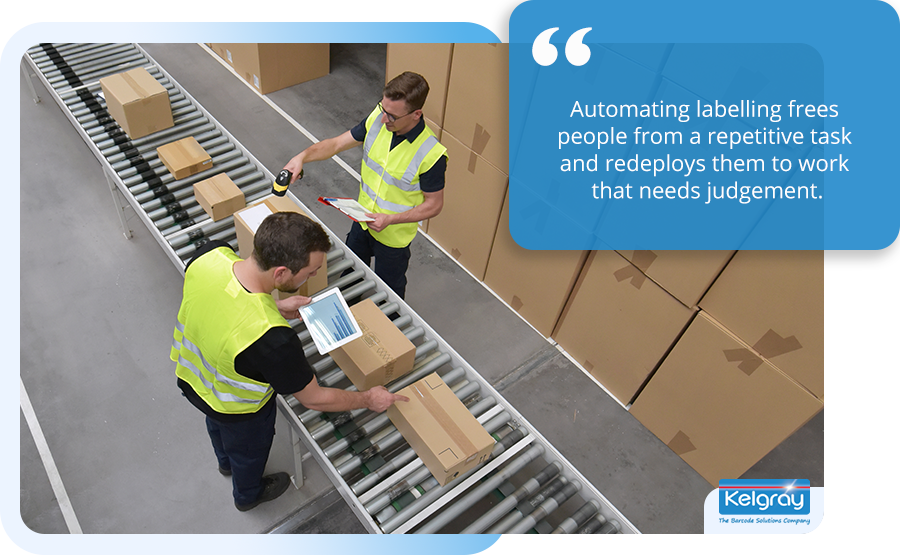
Labour. Automating labelling frees people from a repetitive task and redeploys them to work that needs judgement. This matters more than ever in the UK, where labour shortages have been estimated to cost manufacturing around £6 billion in lost output a year (Make UK/BDO, 2024). The UK also lags its peers on automation density, with roughly 119 industrial robots per 10,000 workers (IFR, 2024) against about 429 in Germany, so for many operations labelling is a sensible, contained first step into automation rather than a wholesale change.
7. What does an automated labelling system cost, and how do you justify it?
The price of the machine is only part of the picture, and the case for automation is usually built on what manual labelling costs you, not on the sticker price of the system. A business case typically weighs the system and its installation against savings in labour, rework, and the cost of getting labels wrong.
On the cost side of manual labelling, three things tend to dominate. There is the direct labour of the people applying labels. There is the rework and waste when labels are wrong, which across the industry is often cited as a meaningful share of line time lost to fixing label issues. And there is the cost of failure: a rejected delivery, a retailer chargeback for a non-compliant pallet label, or, at the serious end, a product recall. Recalls in particular carry costs that dwarf the labelling equipment, running from tens of thousands of pounds into the millions once you count recovery, disposal, and reputational damage.
Industry benchmarks for payback on automated labelling commonly land somewhere between twelve and eighteen months, and faster where label volumes are high and manual error is costly. We are wary of quoting a single figure as if it were a law, because the real number depends on your volumes, your labour rates, and how much rework you are absorbing today. The more useful exercise is to build the case from your own numbers, which is exactly what we do with customers when scoping a system. The full ROI method is something we work through with you when scoping a system; the principle here is that automation pays when the combined cost of labour, rework, and failure on your current line is larger than the cost of removing it.
| Speak with a specialist about your labelling line
Tell us your products, volumes, and where labels are slowing you down, and we will help you work out whether automation stacks up for your operation. Speak with a specialist. |
8. Which UK standards and regulations apply to automated labelling?
Automated labelling in the UK must satisfy two kinds of rule: the standards that govern how a barcode is built and placed so it can be read across the supply chain, and the sector regulations that govern what information a label must show. A system is only as useful as the labels it produces are compliant, so this is worth getting right at the specification stage rather than after a retailer rejects a delivery.
Barcode and logistics-label standards
For pallets and cases moving through UK retail and logistics, the central standard is the GS1 logistics label. Its backbone is the Serial Shipping Container Code (SSCC), an 18-digit number that uniquely identifies a logistics unit such as a pallet, carton, or container, carried in a GS1-128 barcode under the Application Identifier (00). Retailers including the major UK supermarkets commonly require a compliant GS1 logistics label, so for many manufacturers this is not optional.
GS1’s placement rules for a pallet logistics label, at a glance:
- Two identical labels, on two adjacent sides of the unit.
- The barcode upright, in the “picket fence” orientation.
- Quiet zones kept no closer than 50 mm to a vertical edge (the clearance differs at case level).
- A minimum bar height of 32 mm.
Few of the customers who come to us know the full GS1 label specification before we sit down with them, and the gaps we meet most often are label size and placement, barcode height and structure, and the correct field titles, the printed headings that name each piece of data on the label. None of these is hard to get right, but each is easy to get wrong if a system is specified without the standard in front of you.
Alongside placement, there is print quality. Barcode print quality is graded under ISO/IEC 15416 for linear (1D) barcodes and ISO/IEC 15415 for 2D codes, on a scale from Grade A (best) down to Grade F (fail), with numeric equivalents from 4.0 down to 0.0 and no Grade E. Many retailers and logistics providers require a minimum of Grade B, because a poorly printed barcode that fails to scan downstream causes the same problems as no barcode at all. Common linear symbologies you will meet include Code 128 (ISO/IEC 15417), used within the GS1-128 logistics barcode.
Sector labelling regulations
What a label must say is governed by sector rules. In food, the Food Information Regulations 2014 set the baseline, and Natasha’s Law (the Food Information (Amendment) (England) Regulations 2019, with equivalent instruments in Scotland, Wales, and Northern Ireland) has, since 1 October 2021, required food prepacked for direct sale to carry the food name and a full ingredients list with allergens emphasised. For medical devices, Unique Device Identification (UDI) labelling is regulated in the UK by the MHRA. For chemicals, hazard labelling in Great Britain follows GB CLP, the UK’s implementation of the globally harmonised system, while Northern Ireland continues to follow EU CLP under the Windsor Framework. Each of these dictates content that your labelling system must be able to print reliably and legibly, which is part of why on-demand printing matters: the label can carry the correct, current regulated information for each specific product.
The cheat-sheet below summarises the main references. It is a signpost, not legal advice, and the authoritative source in each case is the relevant standards body or regulator.
| Area | Key reference | What it governs |
| Pallet / logistics labels | GS1 logistics label, SSCC, GS1-128 (GS1 UK) | Unique unit ID, barcode type, label placement |
| Barcode print quality | ISO/IEC 15416 (1D), ISO/IEC 15415 (2D) | Scannability grading (A to F, no E); often Grade B minimum |
| Linear symbology | Code 128 (ISO/IEC 15417) | The symbology inside GS1-128 |
| Food labelling | Food Information Regulations 2014; Natasha’s Law (PPDS, from 2021; England SI plus devolved equivalents) | Name, ingredients, emphasised allergens |
| Medical devices | UDI, regulated by the MHRA | Unique device identification on labels |
| Chemicals | GB CLP / GHS (Northern Ireland: EU CLP) | Hazard pictograms and warnings |
9. How do you know your labels are readable?
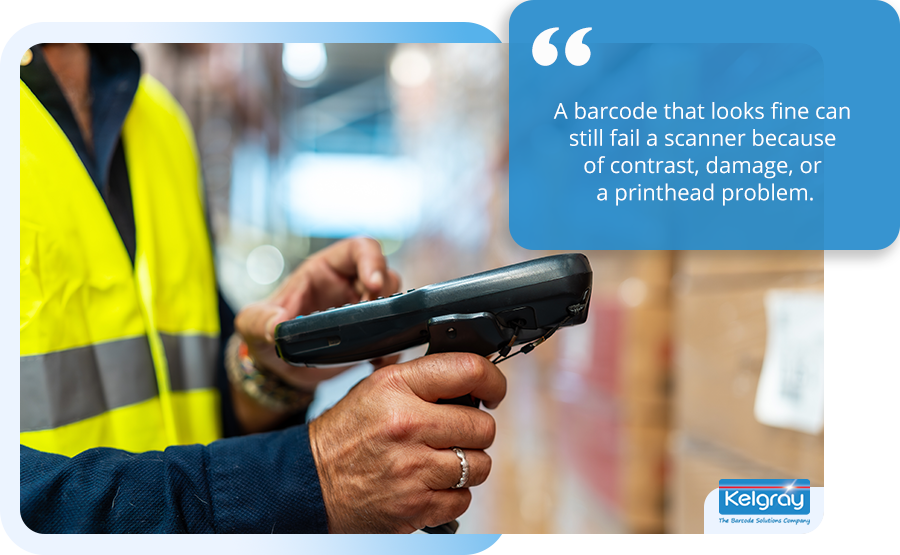
A label is only doing its job if it scans first time, every time, down the whole supply chain, and the way to be sure is verification rather than a visual glance. A barcode that looks fine to the eye can still fail a scanner because of contrast, damage, or a printhead problem, and the failure usually surfaces at the worst possible point, in a customer’s warehouse.
The professional standard is barcode verification, which measures a printed code against the ISO/IEC grading standards mentioned above and reports a grade rather than a simple pass or fail. A verifier checks attributes such as contrast, decodability, and edge definition, and a falling grade is an early warning that something, often a worn printhead, the wrong ribbon, or a poorly matched label material, is drifting before it becomes a hard failure.
For lines where a single bad label is genuinely costly, verification can be built into the labelling process itself through machine vision. A vision system on or after the print and apply head reads each label as it is applied and checks it is correct, present, and readable, rejecting or flagging any that are not. This closed-loop approach turns labelling from “print and hope” into “print and confirm”, and it is the natural answer to a retailer’s Grade B requirement or a sector where a mislabelled item must never leave the building. We cover this in detail under machine vision solutions, because it is increasingly where quality-critical operations are heading.
| ⚠ Things to check before a label reaches a customer
• Barcode print grade meets the customer’s minimum (often Grade B) • Label material and ribbon are matched to the surface and storage conditions • Placement meets GS1 rules for pallets and cases • Regulated content (allergens, hazard symbols, UDI) is correct and legible |
10. Is print and apply right for your operation?
Print and apply is the right answer for many operations, but not all, and being clear about when it is not is part of specifying it well. The technology makes sense where volumes are steady and high enough, where labels change often enough that pre-printing is wasteful, and where the cost of a labelling error is real. It is a weaker fit where volumes are very low, where product and label variety is so high that set-up overwhelms the run, or where the labelling step is not a constraint.
A simple way to work through the decision is to look at it in stages, from the product up to the data.
| Step 1
Product & surface |
Step 2
▶ Label & data |
Step 3
▶ Volume & speed |
Step 4
▶ Compliance |
Step 5
▶ Integration |
Working through those in order tends to surface the answer. Start with the product and surface, because shape and material narrow the application method straight away. Move to the label and data, since what the label must show and where the data lives shapes both the print method and the integration. Weigh volume and speed, because these drive whether automation pays and which applicator can keep up. Confirm compliance, so the system can produce the standards and content your sector and customers demand. Finally consider integration, because a system fed by your real data delivers far more than one typing labels at the line.
There is no one-size-fits-all system here. Automation relies on a uniform product, presented consistently, and while we can fit multiple applicators to a single line, there is a limit to the variety of products that can be labelled to a good standard on one system. Some products, because of their size, shape, or form, cannot be automated at all, and we will tell you if yours is one of them. The same plain advice applies to volume: if your volumes are modest and your labels rarely change, we will often say so, and point you towards a simpler manual or pre-printed approach until automation genuinely pays. That honesty is deliberate. We would rather specify the right thing and earn a long relationship than sell a machine that sits underused. When the numbers do support automation, the specification checklist we use with customers turns these factors into concrete decisions.
11. Key terms at a glance
The glossary below collects the terms used through this guide, for quick reference.
| Term | What it means |
| Print and apply | A system that prints a label on demand and applies it automatically |
| Print engine | The component that prints the label from data |
| Direct thermal | Printing with heat onto heat-sensitive material, no ribbon; shorter label life |
| Thermal transfer (TTO) | Printing with a heated head and ribbon; durable, long-life labels |
| Applicator | The mechanism that places the printed label on the product |
| SSCC | Serial Shipping Container Code; an 18-digit unique ID for a logistics unit |
| GS1-128 | The barcode type that carries the SSCC and other GS1 data |
| ISO/IEC 15416 | The print-quality grading standard for 1D barcodes |
| Verification | Measuring a printed barcode against a grading standard |
| Machine vision | An automated check that reads and confirms each label as applied |
12. Frequently asked questions
What is the difference between print and apply and a standard label printer? A standard label printer only prints labels; a person still has to apply them. A print and apply system both prints and applies the label automatically as products pass on a line, with no manual step. That combination is what removes the labour and the placement errors of hand labelling.
What is the difference between print and apply and coding and marking? Print and apply produces a separate label, including barcodes and structured logistics data, and applies it to the product. Coding and marking prints directly onto the product or packaging with no label, using methods such as continuous inkjet (CIJ) or laser, and suits simple variable data like a best-before or batch code. Many production lines use both.
Can a print and apply system connect to our ERP or warehouse system? Yes. The strongest setups draw label data live from an ERP, WMS, or MES, so each label reflects the real order, batch, or destination for that item. This is what links the physical label to your digital records and delivers the accuracy and traceability gains, rather than relying on data typed in at the line.
What barcode standard do UK pallets need? Pallets and logistics units moving through UK retail and logistics typically need a GS1 logistics label carrying a Serial Shipping Container Code (SSCC) in a GS1-128 barcode, applied to two adjacent sides per GS1 placement rules. Many retailers also require the barcode to meet a minimum print-quality grade, commonly Grade B.
What is an SSCC, and what is a GS1-128 barcode? An SSCC (Serial Shipping Container Code) is an 18-digit number that uniquely identifies a logistics unit such as a pallet or carton. It is carried in a GS1-128 barcode, the barcode type GS1 specifies for logistics labels, under Application Identifier (00). Most UK retailers expect both on inbound pallets.
How quickly does an automated labelling system pay for itself? Industry benchmarks often cite payback within twelve to eighteen months, and faster where volumes are high and manual error is costly. The real figure depends on your labour costs, volumes, and current rework, so the reliable way to know is to build the case from your own numbers, which we do with customers when scoping a system.
Is automated labelling only for large manufacturers? No. While very low volumes may not justify it, automated labelling suits both SMEs and larger operations. For many smaller manufacturers it is a contained, affordable first step into automation, targeting the single most repetitive and error-prone task on the line rather than requiring a wholesale change.
13. Working with Kelgray
Now that you can see what these systems do, the real question is whether one fits your line, and that is the part we help with. We have supplied and integrated automated labelling for UK manufacturers since 1972, as a family-owned business that handles the whole job in one place: specifying the right print and apply system, supplying the labels and ribbons it runs on, and keeping it serviced once it is in. Buying it all from one partner means the printer, the consumables, and the machine-vision checks are matched to each other from the start, rather than coming from separate suppliers who each point at the others when a barcode fails.
Labels are the clearest example. A problem we see repeatedly is labels from other manufacturers that are not suitable for automated application: overcut in converting, meaning the die has cut too deep into the backing paper, they fail to peel off and separate badly from the backing, and a string of application faults follows. Because we convert labels in-house, the labels we supply are made for the machine that applies them. Our work is certified to ISO 9001 and we hold SafeContractor accreditation.There is more about us and the sectors we work in on our site.
The best next step is simply a conversation about your line. Tell us what you make and where labelling slows you down, and we will give you a straight answer on whether automation is worth it for you, or whether a simpler approach is the smarter move for now.
| Speak with a specialist about automated labelling
Tell us about your products, your volumes, and your labelling challenges, and we will help you specify the right solution, or point you to a simpler approach if that suits you better for now. Speak with a specialist. |
Sources
- GS1 UK, “How do I create SSCCs and logistics labels?” and “Where should pallet labels be placed?”, GS1 UK knowledge hub.
- GS1 UK, “Perfect Order: Minimum Requirements for In-Bound Logistics for Suppliers and Retailers” (pallet 50 mm and case-level clearances).
- GS1, “1D Barcode Verification Process Implementation Guideline.”
- ISO/IEC 15416 (linear barcode print quality); ISO/IEC 15415:2024 (2D barcode print quality, current edition); ISO/IEC 15417:2007 (Code 128 symbology; Amendment 1 published 2026).
- Food Standards Agency, “Allergen labelling changes for prepacked for direct sale (PPDS) food” (Natasha’s Law); The Food Information (Amendment) (England) Regulations 2019; The Food Information Regulations 2014.
- MHRA, guidance on Unique Device Identification (UDI) for medical devices.
- HSE, “The GB CLP Regulation” (with EU CLP applying in Northern Ireland under the Windsor Framework).
- Make UK / BDO, manufacturing labour and output reporting (2024 regional outlook; Q3 2025 update).
- International Federation of Robotics, World Robotics 2024 (robot density: UK 119, Germany 429; 2023 data).