

Choosing between print and apply and pre-printed labels comes down to one practical question: how much does the information on your label change, and how much does the look of it matter?
If your label data changes from one item to the next, a batch code, a date, a unique barcode, an address, print and apply tends to win. If your label is a fixed, full-colour design that runs unchanged in big volumes, pre-printed often wins. Most production environments sit somewhere between those two, which is why a third option, a pre-printed shell overprinted on the line, is often the right answer in practice.
This guide takes the two approaches side by side and weighs them on the things that decide it: cost per label at volume, how well each handles variable data, branding and print quality, waste and obsolescence, flexibility, and changeover. We then give you a clear way to work out which fits your own line. We point out throughout where pre-printed is the better call, because pushing every reader towards automation would not help you make a good decision, and a good decision is the whole point.
We are in an unusual position to write this fairly. We supply and integrate print and apply labelling systems, and we also convert pre-printed labels in our own facility, so we sell both sides of this comparison. That means we have no reason to talk you out of the approach that genuinely suits your operation. You can see the automated side on our automated labelling page and the label side on our consumables and media pages. Most of what follows is drawn from what we see when customers weigh these two options on real lines.
Key takeaways
- Print and apply prints each label on demand and applies it automatically; pre-printed labels are produced in advance with a fixed design and applied separately.
- The decision turns on how much your label data varies, how many designs you run and at what volume, how much your branding depends on full colour, and how often your content changes.
- Pre-printed labels win on unit cost for long, single-design runs and on full-colour shelf appeal; print and apply wins on variable data, flexibility, and avoiding obsolete stock.
- Some data cannot be pre-printed at all: a unique pallet SSCC, per-item serial numbers, and anything that changes from one batch to the next must be printed on demand.
- A hybrid approach, a pre-printed full-colour shell overprinted on the line with variable data, often fits branded products that also need batch and date information.
Table of contents
- What is the difference between print and apply and pre-printed labels?
- Is print and apply cheaper than pre-printed labels?
- When do pre-printed labels still win?
- What can print and apply do that pre-printed labels cannot?
- What about waste, stock-holding, and obsolescence?
- Is there a middle ground between the two?
- How do you decide which is right for your production environment?
- Key terms at a glance
- Frequently asked questions
- Choosing with Kelgray
1. What is the difference between print and apply and pre-printed labels?
Print and apply prints each label on demand and applies it to the product automatically, while pre-printed labels are produced in advance, usually by a label converter, and applied separately.
Before going further, it will help to clear up confusion that runs through some online advice, because two different decisions get muddled into one. The first decision is how the label is printed and sourced: pre-printed in advance, or printed on demand at the point of use. The second decision is how the label is applied: by hand, by a semi-automatic applicator, or by an automated system.
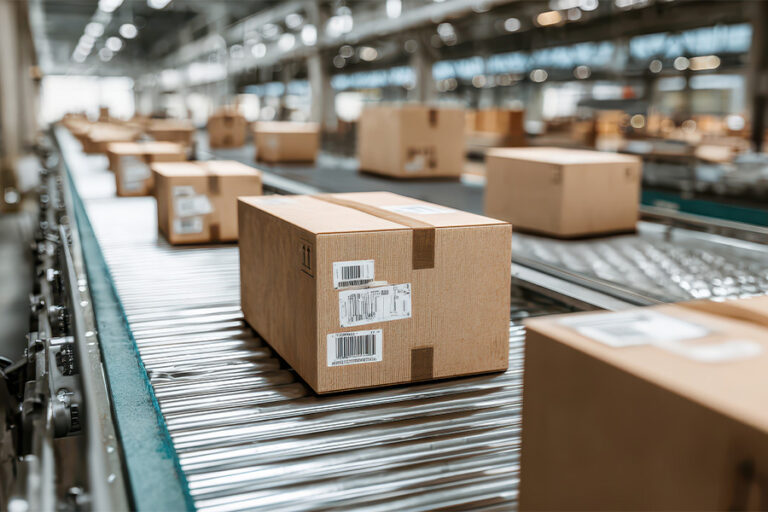
“Print and apply” describes a system that does both at once: it prints the label on demand and applies it without a person handling it, triggered by a sensor and fed by your business systems. “Pre-printed” describes where the label came from, not how it goes on. You can apply a pre-printed label by hand or with an automatic applicator, and you can print on demand and still apply by hand.
When people compare “print and apply versus pre-printed”, what they usually mean is on-demand printing and automatic application against labels printed ahead of time. That is the comparison we make here.
Pre-printed labels are produced before you need them. The artwork is set, a print run is ordered from a converter, and the finished labels arrive on rolls ready to use. Because the design is fixed at the point of printing, every label in the run is identical, which is exactly what you want for a consistent brand label and exactly what limits it when the information needs to vary.
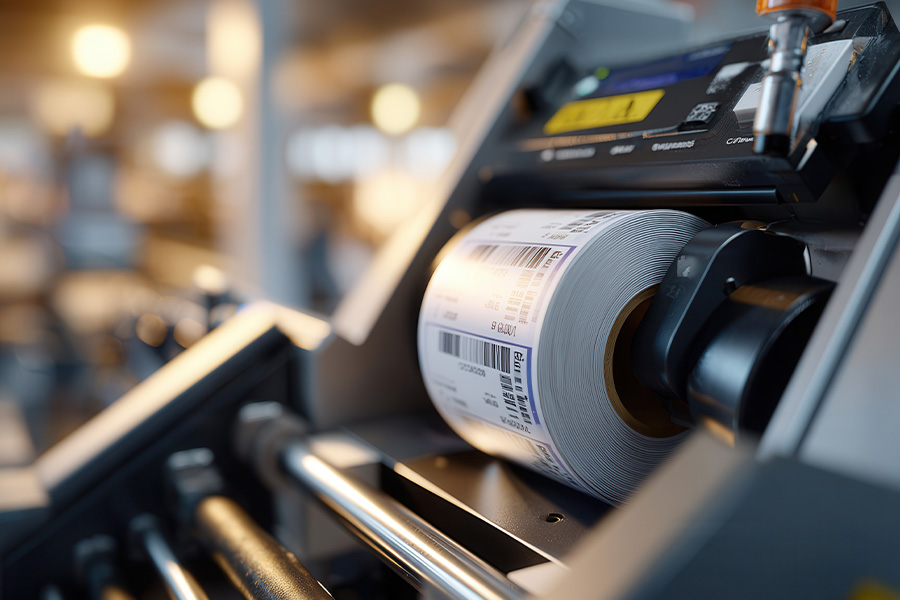
Print and apply works the other way around. The label is blank stock until the moment it is needed, when the system prints the right data for that specific item and applies it in the same cycle. Nothing is committed in advance, so the content can be different on every single label.
The right choice is rarely about which approach is better in the abstract. It is about which one matches your production environment: how variable your label data is, how many different designs you run and in what volumes, how much your branding depends on full colour and finish, and how often your label content changes. The table below sets out the main criteria and how the two approaches, plus the hybrid middle ground, stack up against each. We come back to each row in detail through the rest of the guide.
| Criterion | Print and apply (on demand) | Pre-printed | Hybrid (pre-printed shell, overprinted) |
| Per-label cost at volume | Steady unit cost; no setup, but printer and consumables to run | Lowest unit cost on long, single-design runs once setup is spread | Between the two; pre-print cost plus a light overprint |
| Variable data (batch, date, barcode, serial) | Native strength; different on every label | Fixed only; variable data must be added another way | Fixed brand on the shell, variable data overprinted on the line |
| Branding and print quality | Largely single-colour at the point of print | Full colour, gradients, finishes, retail shelf appeal | Full-colour shell keeps shelf appeal |
| Waste and obsolescence | Low; the current version is printed each time | Higher; unused stock can be written off when content changes | Lower than full pre-print; only the shell carries obsolescence risk |
| Flexibility to change content | High; change the template, not the stock | Low; a change means a new print run | High for the variable part; lower for the printed shell |
| Changeover | Fast; swap the template or ribbon | Plate and press setup per design at the converter | Fast for the data; shell ordered ahead |
| Best fit | Variable data, many SKUs, changing content, regulated product | High-volume, single-design, full-colour brand labels | Branded products that also need batch and date data |
2. Is print and apply cheaper than pre-printed labels?
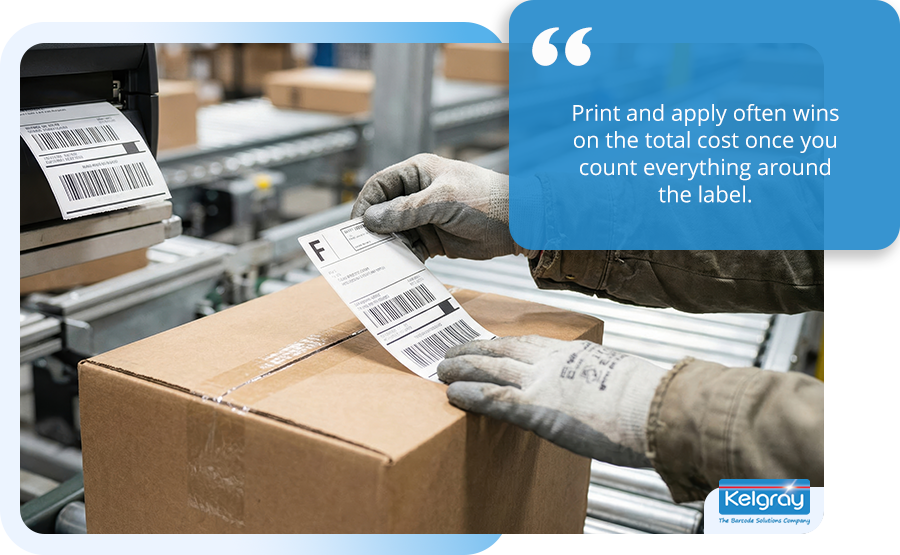
It depends on volume. Pre-printed labels usually win on the headline price per label for a long run of a single design, while print and apply often wins on the total cost once you count everything around the label. The cheapest sticker is not always the cheapest labelling.
Start with the unit price. Pre-printed labels carry a setup cost that print on demand does not. Traditional flexographic printing, the workhorse method for long label runs, needs a printing plate made for each design and each colour, and those plates cost money to produce before a single label is printed. Converter quotes typically put plate costs in the region of a few hundred pounds per colour per design, though the exact figure varies by converter, plate type, and label size, and that cost is the same whether you then print five hundred labels or fifty thousand. On a short run, that setup is spread over very few labels and the unit price looks high. On a long run, it is spread over many and almost disappears. This is why pre-printed labels reward volume: the more identical labels you print, the cheaper each one becomes.
Print on demand has next to no setup, because there are no plates. You load blank stock and a ribbon and print what you need. That makes the unit cost broadly flat regardless of how many you print, which is a big advantage for short runs and a disadvantage for very long ones. Roughly speaking, on-demand and digital methods tend to be cheaper than pre-printed flexo up to somewhere in the tens of thousands of labels per design, and pre-printed tends to win above that. The exact crossover moves a long way depending on label size, the number of colours, and finishing, so treat any single break-even number with caution. The shape of the relationship is reliable even when the precise figure is not.
| Cost element | Print and apply (on demand) | Pre-printed (flexo) |
| Setup per design | None; no plates | A plate per design and per colour, a few hundred pounds typically |
| Unit cost behaviour | Broadly flat whatever the quantity | High on short runs, low on long runs |
| Minimum order | Print what you need, when you need it | Minimum order quantities, often thousands per design |
| Stock holding | Blank stock only, used across all designs | Finished stock per design, tying up space and cash |
| Cost added later | Printer upkeep, ribbons, label match | Obsolescence if the design changes |
The headline unit price, though, is only part of the cost, and this is where the comparison gets more interesting. A pre-printed label that is cheap per unit can still be expensive overall once you count the working capital tied up in minimum order quantities, the warehouse space the rolls occupy, and, above all, the stock you scrap when a design or a regulation changes. Print on demand avoids all three, because you only ever hold blank stock and you print the current version each time. It adds its own costs instead: the printer needs maintaining, ribbons are an ongoing consumable, and the label and ribbon have to be matched to the job to hold print quality. A fair cost comparison weighs the total picture, the unit price plus stock, waste, and upkeep, rather than the price on the converter’s quote alone. We deliberately keep the deeper cost and payback question, including the labour of applying labels by hand, to a full cost comparison rather than settle it here.
| Not sure which way the numbers fall for your volumes?
Tell us what you make, how many designs you run, and the volume per design, and we will help you see where the real cost sits across the unit price, the stock, and the waste. Speak with a specialist. |
3. When do pre-printed labels still win?
Pre-printed labels still win when the label is a fixed, full-colour brand design running in high volume, because that is the situation where pre-printing’s strengths line up and its main weakness, inflexibility, does not bite. If your label rarely changes and never needs to vary from one item to the next, the case for pre-printing is strong.
The clearest advantage is branding and print quality. A pre-printed label can be produced in full process colour, with gradients, fine detail, spot colours, and finishes such as lamination, varnish, or foil that build a premium look on the shelf. Print quality is consistent and repeatable across a long run, with tight control over how closely the colour matches your brand standard.
On-demand printing on the line, by contrast, is largely single-colour at the point of print, because the thermal methods that print labels on demand lay down one colour at a time. For a consumer product, that difference matters. A primary label that has to look its best on a retail shelf is a job pre-printing does well and on-demand printing, on its own, does not.
The second advantage is unit cost at volume, which we covered above. For a long, stable run of one design, pre-printing gives the lowest cost per label once the setup is spread, and nothing on-demand will beat it on price alone.
The third is simplicity for a small team. A pre-printed roll arrives ready to use and needs no printer on the line, no ribbon supply, and no print-quality checks. For an operation with few staff and no appetite for maintaining label printers, pre-printed labels remove a whole category of upkeep. There is a real, quiet cost to running on-demand printing well, and for some operations avoiding it is worth more than the flexibility they would gain.
So pre-printed labels are the better choice when several of these hold true: the design is fixed and changes rarely, the volume per design is high, full-colour branding and shelf appeal matter, there is no need for data that varies between items, and the team would rather not run printers on the line.
The more of those that apply, the stronger the case. The pre-printed labels themselves are something we produce in our own label converting facility, so this is not a grudging admission but a genuine part of what we supply.
4. What can print and apply do that pre-printed labels cannot?
Print and apply can put different information on every single label, which pre-printed labels, by their nature, cannot. This is the heart of the case for on-demand printing, and for a great many operations it is decisive on its own, because their labels are not fixed at all.
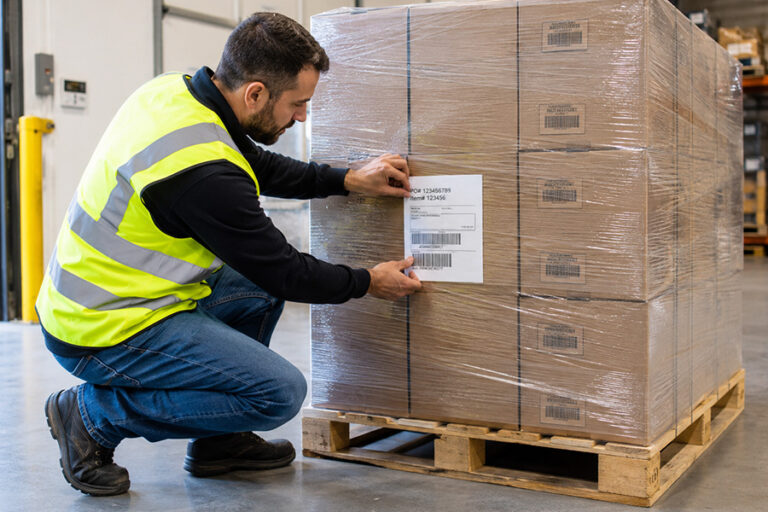
The reason is simple. A pre-printed label is committed when it is printed, so everything on it is fixed for the whole run. The moment the label needs to carry information that changes from one item to the next, a batch or lot number, a production or expiry date, a price, a delivery address, a unique serial number, a fixed pre-printed label cannot do the job by itself. Print and apply generates that data fresh for each item, pulling it in real time from your business systems and printing it at the moment of application. The label that comes out matches the record behind it, item by item, with no person selecting or typing anything. We cover the systems side of this in our software integration work, because connecting the labeller to your ERP, WMS, or MES is what makes the variable data reliable.
| Label content | Fixed or variable | Can it be pre-printed? |
| Brand name, logo, fixed graphics | Fixed | Yes, ideal for pre-print |
| Fixed product name and standing legal text | Fixed | Yes |
| Batch or lot number | Variable | No, must be added per run or per item |
| Production and expiry dates | Variable | No, changes with every batch |
| Serial number or unique item ID | Variable | No, unique to each item |
| SSCC on a pallet label | Variable, unique per pallet | No, must be generated on the line |
| Price or destination address | Variable | No, changes per order |
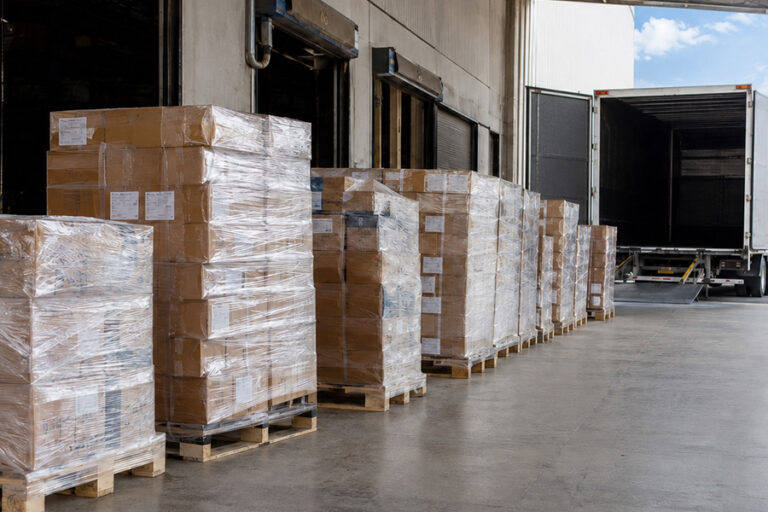
The pallet label is the clearest example of a hard limit. A serial shipping container code, the SSCC, is an eighteen-digit licence-plate number that has to be unique to each individual pallet or unit load so that no two are ever confused in the supply chain. Because every pallet needs its own number, you cannot simply pre-print a stack of identical SSCC labels. It is possible to pre-print sequential numbers in advance, but that is awkward to manage and easy to get wrong, which is why unique SSCCs are generated and printed on the line by a print and apply system at the moment each pallet is built. The same logic applies to any genuinely unique identifier.
There is a second advantage that matters as much over time: keeping up with change. Label content is not as fixed as it looks. Recipes change, ingredients and allergen declarations change, regulations are updated, artwork is revised, and product ranges are reworked. Every one of those changes makes pre-printed stock out of date. With print on demand, you change the template once and the next label printed is the current version, with nothing to scrap.
For products in regulated or fast-moving categories, that ability to change content without writing off stock is a steady, ongoing benefit rather than a one-off. It also ties directly to getting the label right, which, alongside applying it accurately and tracing it later, is the wider job a good labelling setup must do.
5. What about waste, stock-holding, and obsolescence?
Pre-printed labels carry a waste and stock-holding cost that on-demand printing largely avoids, and for operations whose label content changes at all often, this is one of the strongest reasons to print on demand. It is also the cost most easily missed, because it does not appear on the label quote.
Pre-printing rewards volume, which pushes you to order in quantity to get the unit price down. Minimum order quantities for pre-printed labels often run from several thousand to tens of thousands per design. That ties up working capital in stock you have paid for but not yet used, and it takes up warehouse space, with each design needing its own rolls held separately. As long as the design never changes, that stock is simply inventory. The problem comes when it does change. A recipe reformulation, an allergen update, a regulatory change, a rebrand, or a discontinued line can turn a shelf of pre-printed stock into waste overnight, because the labels no longer say the right thing and cannot legally or sensibly be used. The money spent on them, and on storing them, is lost.
Printing on demand removes this at source. You hold only blank stock, which is the same across many designs, and you print the current version of any label as you need it. When content changes, you change the template, and there is nothing to throw away.
In the operations we supply, the write-offs come from two directions in particular. The first is pre-printed stock that carries date- or batch-dependent data. Those labels are printed against a production plan, the runs are over-produced so the line never runs short, and the surplus is scrapped as routinely as it is printed, because yesterday’s date is no use tomorrow. The second is the product run itself: a customer reduces or discontinues a product, and the pre-printed stock ordered against it is written off with it.
Both point the same way. The more often a label’s content changes, and the less certain the volumes behind it, the more pre-printing costs in scrapped stock, and the more on-demand printing saves by never holding a committed design.
| The hidden cost of pre-printed stock
• Minimum orders often run to thousands of labels per design, tying up cash and shelf space before a single one is used. • Allergen labelling errors are the single most common cause of UK food recalls (RQA Group analysis of FSA data, 2025), a reminder of how often label content has to change. |
It is only fair to also examine the other side. On-demand printing does not make waste disappear so much as trade one kind for another. Instead of obsolete finished stock, you carry blank label stock and ribbons, and you take on the upkeep of the printers. Ribbons are an ongoing consumable, printers need maintenance, and a poorly matched label and ribbon will quietly drag print quality down. For an operation whose labels almost never change and which runs huge volumes of one design, the obsolescence risk of pre-printing is small and may be outweighed by its lower unit cost and simpler running.
6. Is there a middle ground between the two?
Yes, and it is often the best answer for branded products that also need variable data: a pre-printed shell carrying the full-colour brand design, overprinted on the line with the variable information. This hybrid approach takes the main strength of each method and leaves behind the main weakness of each, which is why so many real-world labels are built this way.
The idea is straightforward. You pre-print the fixed, design-led part of the label, the brand colours, the logo, the standing graphics and text, as a high-quality shell, in volume, at a low unit cost. Those shells are then loaded into a printer on your line, which overprints the variable data, the batch number, the dates, a barcode or QR code, an SSCC, at the moment of use. The customer gets a label that looks like a full-colour pre-printed one, because most of it is, while the parts that have to change are printed fresh on demand. Branding and shelf appeal come from the shell; flexibility and current data come from the overprint.
We handle the variable-data side of this through our coding and marking and labelling work, applying the overprint to a shell you keep in stock.
The hybrid approach makes sense in a few common situations. A branded food product needs both shelf appeal and accurate batch, date, and allergen information, which is exactly the split hybrid handles well. A consumer product sold across several variants can share one pre-printed shell and overprint the variant detail, rather than pre-printing every version separately. Once a design is stable enough to commit to a shell for six to twelve months, the pre-printed part can be produced economically at volume, and reports suggest a hybrid setup can land a lower per-unit cost than fully on-demand colour printing at scale, while keeping the obsolescence risk to just the shell rather than the whole label.
One line we built shows the approach in practice. We supplied a bespoke labelling line to a bakery whose products go out in clamshell packs, the hinged clear packs common in bakery, each labelled with a C-shaped label that wraps the top, side, and bottom of the pack, printed in full colour. Into that line we integrated a thermal transfer overprinter, or TTO, a compact printer that uses a heated print head and a ribbon to print directly onto the label as it passes on the line, adding the use-by date at the point of labelling. Because the date is added on the line rather than in advance, the bakery can run batches across numerous days without offline printing or label changeovers in between: the full-colour label stays the same while the date stays current.
There is a trade-off to be honest about. Hybrid still carries some obsolescence risk on the pre-printed shell, so if your brand artwork itself changes often, you are back to scrapping stock, just less of it. It also means running a printer on the line, with the upkeep that brings. Hybrid is at its best when the design is stable but the data is not, which describes a great many branded, regulated products. Where the whole label is fixed, stay pre-printed; where the whole label varies, go fully on demand; where the look is settled but the data changes, hybrid is usually the sweet spot.
7. How do you decide which is right for your production environment?
You decide by working through your label against a short set of questions, in order, because each one narrows the choice. The decision is not really about the labels in the abstract; it is about matching the approach to how your particular product, data, and volumes behave. The steps below are the same ones we walk through with a customer.
| Step 1
Map your variable data |
Step 2
▶ Count designs and volume per design |
Step 3
▶ Weigh your branding needs |
Step 4
▶ Check how often content changes |
Step 5
▶ Choose: print and apply, pre-printed, or hybrid |
Take them in turn. Map your variable data first, because it is often decisive. List what has to change from one item or batch to the next: batch and lot numbers, dates, serials, an SSCC, prices, addresses. If that list is long, or includes anything that must be unique per item, print and apply is likely your answer, because pre-printing cannot carry it. If the list is empty, pre-printing stays firmly in play.
Count designs and volume per design next. A few designs each running in very high volume favours pre-printing’s low unit cost; many designs, or low volume per design, favours on-demand printing, which carries no setup per design.
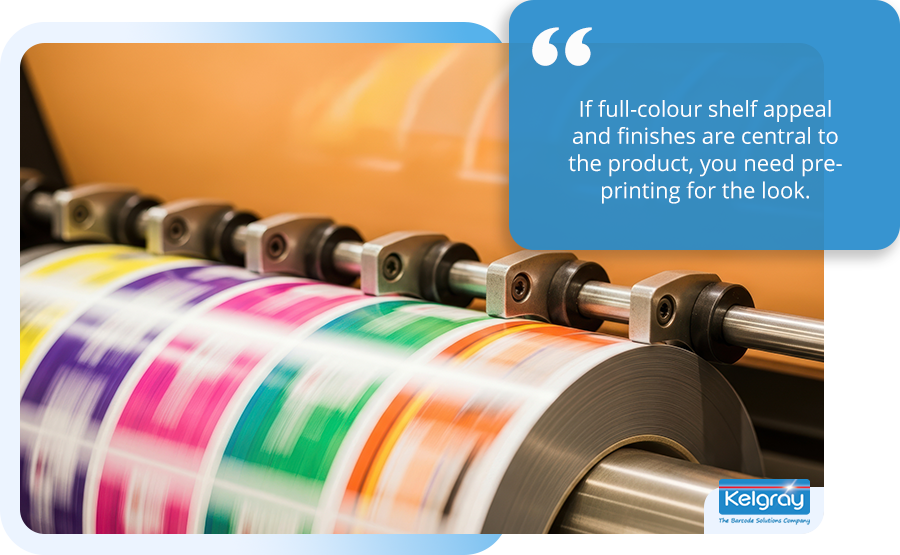
Weigh your branding needs third. If full-colour shelf appeal and finishes are central to the product, you need pre-printing for the look, which points to either pre-printed or hybrid. If the label is functional, a shipping or logistics label, single-colour on demand is fine.
Check how often content changes fourth. Frequent changes, from recipes, regulations, or artwork, punish pre-printed stock with obsolescence and reward on demand. Stable content removes that penalty. The answer that survives all four questions is usually clear, and where two pull against each other, a stable look with changing data, hybrid resolves it.
A sauce producer we supply shows why the first and fourth questions matter so much. Their labels carried the product name and the use-by date, so the pre-printed stock was printed afresh for each day’s production, and every run was deliberately over-produced so the line never ran short of labels. Waste was a daily occurrence, and any pause in production made it worse, because date-marked labels printed for output that never happened could not be used later. The workaround kept the line running for years, but it built waste into every single day. They switched from pre-printed to print and apply, so each label is now printed on demand as the product comes down the line, and the built-in daily surplus went with the old stock.
Sector patterns tend to follow this logic. Food and drink producers usually need on demand or hybrid, because batch codes, dates, and allergen information change constantly and the cost of getting them wrong is high. E-commerce and logistics operations lean to print and apply, because shipping labels carry a different address and barcode on every parcel and the labels are functional rather than decorative. Pharmaceutical and healthcare operations need on demand for serialisation and traceability down to the item. High-volume consumer brands with a fixed, full-colour design often stay pre-printed, or move to hybrid when they add batch and date requirements. These are tendencies rather than rules, and your own line may sit differently, but they are a useful starting point for where to look.
| ⚠ Things customers should watch out for when choosing between the two
• Over-producing pre-printed labels that carry date- or batch-dependent data, so part of every order is printed to be scrapped • Letting the volume discount set the order: the price per label drops as the quantity rises, which encourages over-ordering stock that later goes to waste and scrappage • Buying a print and apply system but underestimating ribbon supply, printer upkeep, and the label-and-ribbon match • Assuming you must pick one approach, when a hybrid shell-plus-overprint often fits a branded product better • Treating it as a pure cost decision and ignoring variable data, which can rule one option out entirely |
The most common mistake is treating this as a single cost decision when it is really a fit decision. The cheapest label on paper is the wrong choice if it goes obsolete, cannot carry the data you need, or fails to do justice to your brand. Working through the questions above, rather than jumping to a price, is what leads to a setup that suits the line for years rather than one that has to be revisited. Where it would help to talk it through against your specific product, that is exactly the kind of conversation we are set up to have.
8. Key terms at a glance
The glossary below collects the terms used through this guide, for quick reference.
| Term | What it means |
| Print and apply | An automated system that prints each label on demand and applies it to the product without a person handling it |
| Print on demand | Printing each label as it is needed, rather than in advance; the printing choice behind print and apply |
| Pre-printed labels | Labels produced in advance, usually by a converter, with a fixed design, then applied separately |
| Variable data | Information that changes from one item or batch to the next, such as a batch code, date, serial, or address |
| Thermal transfer | An on-demand print method using a heated head and a ribbon; durable, largely single-colour |
| Thermal transfer overprinter (TTO) | A compact thermal transfer printer built into a line to print variable data, such as a use-by date, directly onto a label or film |
| Direct thermal | An on-demand method that prints onto heat-sensitive stock with no ribbon; shorter-life, for shipping and receipts |
| Flexographic (flexo) printing | A plate-based method used to pre-print labels in volume and full colour |
| SSCC | The serial shipping container code, an eighteen-digit number that must be unique to each pallet or unit load |
| Minimum order quantity (MOQ) | The smallest quantity a converter will print, often thousands per design for pre-printed labels |
| Obsolescence | Pre-printed stock becoming unusable, and so scrap, when the design or required content changes |
| Hybrid (shell plus overprint) | A pre-printed full-colour shell overprinted on the line with variable data |
9. Frequently asked questions
What is the difference between print and apply and pre-printed labels? Print and apply is a system that prints each label on demand with the data that item needs and applies it automatically, in one cycle. Pre-printed labels are produced in advance with a fixed design, usually by a label converter, and applied separately by hand or by an applicator. The key difference is flexibility: print and apply can put different information on every label, while a pre-printed label is the same throughout the run.
Is print and apply cheaper than pre-printed labels? Not always on the headline price. Pre-printed labels usually have the lowest cost per label for a long run of a single design, once their setup cost is spread across the run. Print and apply often wins on total cost, because it avoids the working capital, storage, and waste tied up in pre-printed stock, especially when designs change. Compare the whole cost, unit price plus stock and obsolescence, not the quote alone.
When should I use pre-printed labels? Use pre-printed labels when your design is fixed and changes rarely, the volume per design is high, and full-colour branding and shelf appeal matter, and when you do not need data that varies between items. They give the lowest unit cost at volume and the best print quality, and they need no printer on the line. The case is strongest for primary consumer labels on stable, high-volume products.
Can I use both print and apply and pre-printed labels? Yes, and combining them is often the best option. A hybrid approach pre-prints a full-colour shell for the brand design, then overprints the variable data, batch, date, barcode, or SSCC, on the line. You keep shelf appeal from the pre-printed part and flexibility from the overprint, while limiting obsolescence risk to the shell. It suits branded products that also need batch and date information.
Why can’t a unique pallet barcode be pre-printed? Because a serial shipping container code, or SSCC, must be unique to every pallet, so identical pre-printed labels would not work. You can pre-print sequential numbers in advance, but it is awkward and error-prone. In practice, unique SSCCs are generated from your systems and printed on the line by a print and apply system as each pallet is built, which keeps every number unique and tied to the right load.

10. Choosing with Kelgray
The useful thing about bringing this question to us is that we sell both sides of it, so we have no stake in steering you one way. We design, integrate, supply, and support print and apply systems, and we also convert pre-printed and blank labels in our own facility, which means a recommendation to stay with pre-printed is one we are glad to make and able to fulfil.
We have made exactly that recommendation. One customer came to us with a line whose speed and label placement requirements a print and apply system could not meet, and we advised against print and apply: a high-speed label applicator running pre-printed labels would comfortably do the job, so that is what we recommended. Advice like that comes easily when either answer is ours to deliver.
Whichever way your line points, we can supply it as a single route: the print and apply system, the pre-printed or blank labels and ribbons it runs on, the overprinting for a hybrid setup, and the software integration that feeds variable data from your systems.
If you are weighing the two up, a short conversation about your product and line is the quickest way to a clear answer. Tell us how variable your label data is, how many designs you run and at what volumes, how much your branding leans on full colour, and how often your content changes, and we will give you a straight recommendation, even when that recommendation is to stay with the pre-printed labels we would supply you ourselves.
| Speak with a specialist about your labelling
Tell us what you make, how many designs you run, the volume per design, and what has to change on each label, and we will help you decide between print and apply, pre-printed, and a hybrid setup. Speak with a specialist. |
We are a UK family-owned business that has done this since 1972, our work carries ISO 9001 and SafeContractor accreditation.There is more about us and the sectors we serve on our site.
Sources
- ASAS Label, label printing cost factors and digital versus flexo cost by volume (2025); JinXinCai / customprintingco, digital label cost analysis and break-even points; LabelBasic, calculating price per label; Mercury Labels, custom versus stock labels at scale. (US commercial sources; cost figures framed as ranges and caveated in the text.)
- Computype, pre-printed labels versus print-on-demand selection guidance; ID Technology, blank and pre-printed thermal transfer labels; HPRT, label overprinting solutions for variable data on pre-printed labels.
- Printrunner, digital versus flexo versus thermal transfer technical comparison and hybrid printing implementation; OnlineLabels, digital plus thermal transfer for ERP-driven and e-commerce labels and hybrid changeover; Blue Label Packaging, digital versus flexo for labels; Labels Unlimited, HD flexo plates and shelf appeal.
- SG Systems Global, artwork versioning and packaging change control; TEKLYNX via Supply & Demand Chain Executive, labelling and sustainability; OnlineLabels, minimum order quantities and the working capital tied up in pre-printed stock.
- GS1 and GS1 UK, serial shipping container code (SSCC) and logistics label guidance, eighteen-digit identifier unique to each logistic unit; GS1 US, introduction to the SSCC.
- Food Standards Agency, Natasha’s Law and allergen labelling for prepacked for direct sale (PPDS) food (in force 1 October 2021) and the March 2025 allergen guidance update (best-practice guidance for non-prepacked food, not a change to the law); Food Safety Guru and FoodDocs, Natasha’s Law / PPDS guidance.
- RQA Group, UK product recall analysis (allergen labelling errors the single most common cause of UK food recalls, 2025); FoodManufacture.co.uk, allergen errors most common cause of UK food recalls (August 2025); Food Standards Agency, recalls and alerts data.